
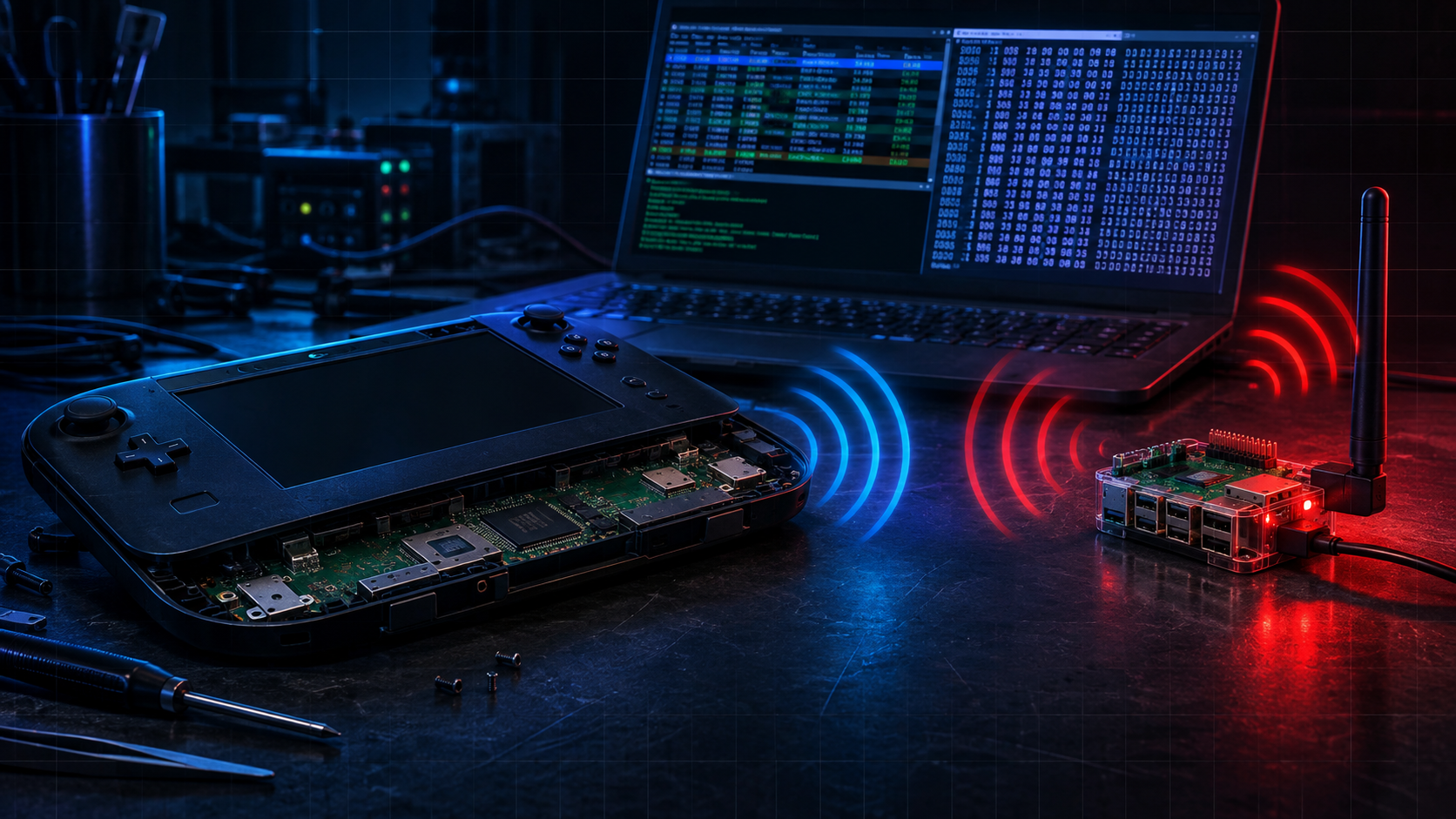
Reverse Engineering the Wii U GamePad — Part 1: Recovering the Console's Secrets
The Wii U GamePad is a controller with a screen that has no wired path to it. No USB port, no video input, nothing but a proprietary 5 GHz radio. To use it as a display for my linux box I would have to impersonate the console it belongs to — which meant extracting a PSK that Nintendo deliberately made very difficult to get at, from a WPS handshake they had quietly sabotaged. This part is about how far I got: the GamePad now joins my box's network, takes an IP address, and drives my mouse cursor over its own wireless link. It still refuses to show me a picture. That's Part 2.
Published: 2026-11-03
Author: KBS admin@dtrh.net
Subject: Wii U GamePad (DRC) — my own hardware, my own console, my own box
Method: Passive protocol research, protocol reimplementation, one patched kernel module, one patched Wi-Fi driver
Evidence: One recovered PSK, one box serving as a fake console, several hundred lines of build and driver output
Contents
- What the GamePad actually is
- The link, and why there is no cable
- The plan
- Getting the PSK
- The radio wars, part one: the Pi's firmware says no
- The radio wars, part two: patching the driver three times
- The pivot: a kernel patch and the box's own radio
- Where it stands
- What's coming in Part 2
1. What the GamePad actually is
The Wii U GamePad (Nintendo's internal name for it is DRC — Display Remote Controller) is a 6.2-inch tablet with a resistive touchscreen, and it is nearly unique among console accessories in that the console streams a full video signal to it.
The first thing to establish is what you cannot do. The physical interfaces are:
| Connector | Reality |
|---|---|
| Proprietary charge jack | Power in only. No data lines. |
| 3.5 mm jack | Analog audio out. |
| IrDA window + IR LED | TV-remote blaster / toy IR. No video. |
| 4-pad UART header (inside the shell, near the battery) | The only data port. 115200 8N1, marked RXD / UART-boot / TXD / Vcc 2.8 V. It is the serial console of the pad's own firmware. |
There is no USB port and no video input on the pad. The front-panel USB ports belong to the console and are host-only. So "stream to the GamePad over a cable" does not exist as a concept — it would require either driving the panel's firmware over that UART or gutting the pad for an HDMI-to-RGB888 board. Both are destructive, and both were ruled out early.
That leaves the radio.
2. The link, and why there is no cable
The GamePad talks to the console over a custom 802.11n 5 GHz link with a slightly obfuscated WPA2 and a slightly obfuscated WPS. The documentation for this (libdrc, wiiubrew) is old but accurate, and the single most useful sentence in it is this one:
the required modifications for support of this obfuscated Wi-Fi protocol can be applied in userland without any kernel modification.
That is the whole shape of the project. The obfuscation lives in the daemons, not the kernel.
The normal-mode access point
In normal operation the console raises a WPA2-PSK access point with an empty SSID, advertising cipher selectors that are not standard:
| Selector | Value |
|---|---|
| Pairwise cipher | a4:c0:e1 (Nintendo OUI) AES-CCM |
| Group cipher | a4:c0:e1 AES-CCM |
| Auth key management | a4:c0:e1 PSK |
The actual cryptographic difference from standard CCMP is small and specific: the PTK is rotated three bytes to the left after it is computed. Everything else is ordinary WPA2.
Because those selectors are not standard, a stock supplicant will not associate, and — the useful part — a stock access point will not be accepted by a GamePad that has the Nintendo selectors stored.
The addressing
Once associated, the DRC network is fixed:
- console (in this project, my box):
192.168.1.10 - GamePad:
192.168.1.11, handed out by DHCP - interface MTU 1800 (the video packets exceed 1500 bytes)
And the services, on documented ports:
| Stream | Us | Pad |
|---|---|---|
| video | (ephemeral) | 50120 |
| audio | 50021 | 50121 |
| input | 50022 | 50122 |
| command | 50023 | 50123 |
| message | 50010 | — |
That table matters more than it looks: it is the diagnostic. Ping proves nothing, but 50122 → 50022 traffic proves the GamePad's DRC stack is live and talking to you.
The pairing, and the trick inside it
When a console enters GamePad pairing mode it raises an open access point named WiiU<mac2><mac>_STA1 and runs a modified WPS handshake. Nintendo's change is one rotation, in the same idiom as the PTK:
a normal WPS implementation will not compute the same AuthKey and will fail at stage M2. The standard specifies that the AuthKey is computed from
KDF(KDK). In Nintendo's implementation, AuthKey is computed fromKDF(KDK_ROT)whereKDK_ROTisKDKrotated 3 bytes to the left.
The pairing PIN is eight digits: the first four are displayed on the TV as symbols (♠=0, ♥=1, ♦=2, ♣=3) and the last four are hardcoded to 5678.
And then the sentence that makes this project possible at all:
If you are trying to associate a gamepad to your computer (and not your computer to a Wii U), you get to choose the code, as long as you enter the same on the GamePad it should work.
In other words: the console is not special. It is just a WPS registrar that happens to rotate a key three bytes. Be the registrar, choose the PIN, and the GamePad will hand you the credentials.
3. The plan
Being concrete about this mattered, because the naive plan does not work.
The naive plan is: raise an access point with the GamePad's SSID and let it join. That fails, and watching it fail is instructive. Using a monitor radio to look at what a GamePad actually does when it is unhappy:
The pad is issuing directed probes — not "is anything out there", but "where is the specific network called WiiUccfb65b68169". That string is the console's normal-mode SSID, derived from the console's own Wi-Fi MAC cc:fb:65:b6:81:69. The pad is not looking for a console; it is looking for its console, and it will ignore anything else.
So a fake AP with a made-up SSID is invisible to it, no matter how well it beacons.
The plan therefore became:
- Get the real credentials — the console's SSID, its BSSID, and its PSK.
- Become that console — same SSID, same BSSID, same Nintendo cipher selectors, same key, same PTK rotation.
- Serve the DRC network — 192.168.1.10, DHCP for 192.168.1.11, and the streaming daemons.
Step 2 is where all the difficulty turned out to live, but step 1 is where the actual secret is.
4. Getting the PSK
It is worth being precise about why this step cannot be cheated.
The PSK is not derived from the PIN. The registrar (the console) generates it randomly and ships it to the enrollee (the GamePad) encrypted inside the WPS credential, protected by keys derived from the PIN. So:
- You cannot compute the PSK from the PIN alone.
- You cannot read it off the wire without the PIN.
- Sniffing the exchange only helps if you also have the PIN, and then you may as well run the exchange yourself.
The GamePad was put into pairing mode from its own settings screen, and the console was put into pairing mode with a TV attached. The TV displayed four symbols — ♥ ♦ ♦ ♥ — which is the digits 1221, and the full PIN is therefore 12215678.
Where it got interesting: the console's pairing access point is hidden. Scanning for an SSID beginning WiiU finds nothing:
The AP is there, but it beacons an empty SSID. It is identifiable only by BSSID — and the BSSID is the console's own Wi-Fi MAC, cc:fb:65:b6:81:69, which is the same value encoded into the normal-mode SSID. That is a satisfying little piece of reasoning: the SSID the pad hunts for tells you the MAC of the AP you need to talk to.
With the PIN and the BSSID, a WPS client built with the modified handshake completes the exchange and the console simply hands over the goods:
That is the game. Everything after this is plumbing — hard plumbing, but plumbing.
A note on scope, because it matters: this unpairs the GamePad from its console. It is reversible (press SYNC twice on the console), but it is not a passive operation, and you should decide deliberately before doing it.
5. The radio wars, part one: the Pi's firmware says no
With the credentials in hand, the obvious move is to serve the AP. I started on a Raspberry Pi 5.
The Pi's radio (CYW43455, brcmfmac) advertised everything needed — AP mode, Band 2, 30 channels — and with standard ciphers it did serve a perfectly good access point. But with the Nintendo selectors, which are mandatory, it refused:
Note the typo in the source (ivalid). That string is the whole story of the next several hours: the firmware does not recognise a4:c0:e1 and will not start the AP.
The two requirements are mutually exclusive on that radio:
| Configuration | AP beacons? | GamePad joins? |
|---|---|---|
| Standard CCMP | yes | no — pad has Nintendo selectors stored |
Nintendo a4:c0:e1 |
no — firmware: invalid OUI | — |
6. The radio wars, part two: patching the driver three times
brcmfmac here is a DKMS out-of-tree module, so it is patchable without rebuilding a kernel. I patched it three times, and each patch worked, which is what made the experience maddening — every success revealed the next layer.
Patch 1 — accept the OUI. brcmf_valid_wpa_oui() is a three-line allow-list that accepts only 00:0f:ac (RSN) or 00:50:f2 (WPA). Adding a4:c0:e1 made the error disappear and the AP come up with the Nintendo selectors, visible on air from another station.
Patch 2 — stop the firmware doing AP SME. With firmware AP SME the pad's association request is parsed by the firmware, which rejects the same OUI from the other direction. Clearing WIPHY_FLAG_HAVE_AP_SME moved association into hostapd in userspace:
Patch 3 — let the monitor interface exist. Userspace AP SME needs a monitor vif to receive auth/assoc frames, and brcmfmac only advertised monitor in the interface combination that lacked AP, so cfg80211_check_combinations() returned -EBUSY. Adding a monitor limit to the AP combination let hostapd create it — New interface mon.wlan0 created.
And then, at the bottom of the third layer:
The firmware cannot enter monitor mode. Userspace AP SME requires monitor mode. Both doors closed, in opposite directions:
- firmware AP SME → the firmware parses the pad's association and rejects the OUI
- userspace AP SME → needs monitor mode, which this firmware will not provide
That is not something a driver patch can fix. The radio is a black box that will neither speak the cipher nor hand over the frames so we can speak it ourselves.
There is a genuine lesson in this that cost me the most time: a wedged brcmfmac lies to you. After enough failed mode changes it returns -16 EBUSY for operations that would otherwise work, and after enough of those the chip stops answering entirely (brcm_attach: dongle is not responding: err=-84) until a power cycle. Several of my "this configuration is broken" conclusions were really "this driver instance is confused". Reloading the module with modprobe -r brcmfmac && modprobe brcmfmac became a standard first step.
7. The pivot: a kernel patch and the box's own radio
The insight that unlocked it: the Pi failed not because of the OUI per se, but because closed firmware sits in the association path. A radio where mac80211 does that work in software is patchable.
The box's Intel AX210 (iwlwifi) is exactly that, is 5 GHz, and advertises the combination we need:
So the box can serve the fake console while keeping its own uplink — no more blind, connection-killing test cycles.
One obstacle remained, and it is a clean one. cfg80211 validates key ciphers against what the driver advertises, and iwlwifi advertises only the standard suites, so installing a key under Nintendo's selector fails with -EINVAL. The fix is small and surgical — rewrite the selector at validation time:
The reasoning is the interesting part: the driver does not need to know that the peer thinks it is a Wii U. It just needs a key. hostapd already rotated the PTK in userspace before handing it over, so the key it installs is correct regardless of which OUI it was called by — and the beacon's selector, which is what the pad checks, is built by hostapd and is untouched.
Two more things were needed to get a stream out:
- A TSF fallback.
libdrctimestamps video frames against the AP's TSF clock read from/sys/class/net/<if>/tsf.iwlwifihas noget_tsf()and reportsUINT64_MAX, so every frame would be stamped with the same value. Falling back to a monotonic clock fixes it. pkill -fwill kill your own shell if your command line contains the pattern. This cost me two commands before I learned to usepkill -x.
8. Where it stands
With the patched kernel and the real credentials:
The 4-way handshake completes — including the rotated PTK — and the pad takes an IP address. Then:
The pad's touchscreen drives my box's cursor. That is half the goal, and it is the half that involves all the cryptography.
Demo. The GamePad driving this box over the DRC link and nothing else — no USB, no dongle. Touch becomes pointer input, buttons become keys, and the cursor moves because the pad is associated to WiiUccfb65b68169 at 192.168.1.11. The pad's own screen is still showing its "not connected" UI, which is exactly the gap Part 2 is about.
And the other half refuses. The pad renders its own app-picker, joins the network, sends input — and displays "Could not connect to the Wii U console", while quietly hammering us with roughly 27 resync requests per second:
That is the pad saying, twenty-seven times a second: "I received frames and I cannot decode them, start over." Every request makes libdrc emit another IDR, which does not help, because the problem is not that the pad missed a keyframe.
The likely cause is the parameter set. libdrc encodes with b_repeat_headers = 0, deliberately shipping no SPS/PPS, on the assumption that the pad holds Nintendo's fixed H.264 configuration internally. My attempt to send them in-band segfaulted libdrc: the extra NAL units overflow its fixed five-chunk array — kH264ChunksPerFrame = 5, matching the DRH format's six-macroblock-row chunking of a 480-line frame.
A detail worth recording for Part 2: turning the debug dump on makes libdrc write the parameter sets it believes the pad wants —
— and those are almost certainly the ground truth to match against.
9. What's coming in Part 2
The remaining problem is bitstream compatibility with a closed decoder, and the plan is to stop guessing.
The pad's video is standard WPA2-CCMP at layer 2 — and we hold the PSK. So the plan is to put a monitor radio on the console's channel, record an actual console-to-GamePad session, decrypt it with the key we extracted, and recover the exact parameter sets, packet-flag sequences, chunk boundaries and frame pacing that a real console produces. Then the fixes become a diff rather than a guess:
- Feed the pad a valid parameter set — either inject the known SPS/PPS as an explicit init sequence, or make
ProcessNalUnitplace SPS/PPS into chunk 0 without overflowing the five-slot array. - Match the slice headers against what the capture shows.
- Use the resync rate as the success metric: it going to zero is "it decoded a frame."
I should be honest about the odds. This is where the existing community projects stopped: pc2drc is archived with "fix major x264 encoder issues" and "visible artifacting" as known-open bugs, and libdrc's chunking is intolerant of anything outside its assumptions. But the network layer — the part that looked impossible at the start, because it required a secret that could not be sniffed, derived or brute-forced — is done. What is left is engineering against a known-good reference, and I now have the key to read that reference.
All work in this article was performed on my own hardware: my GamePad, my console, my box. The pairing step deliberately unpairs the GamePad from its console and is reversible by pressing SYNC twice on the console.